What is Jev? An AI built for decisions

Key points
- Definition: Jev is an AI model built for making decisions, released by TypeSafe on September 15, 2026. Instead of holding a conversation in text, it answers each question in a fixed format: one of the options you supplied, the probability that the answer is "yes," or a number that rates something against levels you define, such as how frustrated a customer is.
- Speed and cost: Jev costs $0.042 per million input tokens, and output is free (tokens are the units AI models use to measure the text they process). TypeSafe puts its response time at 70 to 500 milliseconds (launch blog post "Introducing System One Models & Jev," September 15, 2026). Compared with general-purpose large language models (LLMs), Jev is much cheaper and faster.
- Accuracy: It depends on the task and on how you set up the work. In the examples on this page, some results came close to a general-purpose LLM and some fell below it, and deliberate design is a prerequisite.
What is Jev? Jev is an AI model built for making decisions, released by TypeSafe on September 15, 2026. You send it the material for a decision along with your questions, and instead of text, it returns an answer in a fixed format for each question. There are four basic formats:
- Picks one of the options you give it (Choice)
- Returns the probability that the answer is "yes" (Noul)
- Returns a numerical rating on a scale you define (Score)
- (Experimental) Says where an object is in an image (Box)
The first half of this page covers how Jev works and what it costs, based on TypeSafe's official documentation. The second half introduces some experiments with Jev. Claude is a general-purpose AI model from Anthropic; the examples use the small Claude Haiku 5.5 and the higher-tier Claude Opus 5.5. For the steps from creating an account to calling Jev from Python, see "How to use Jev."
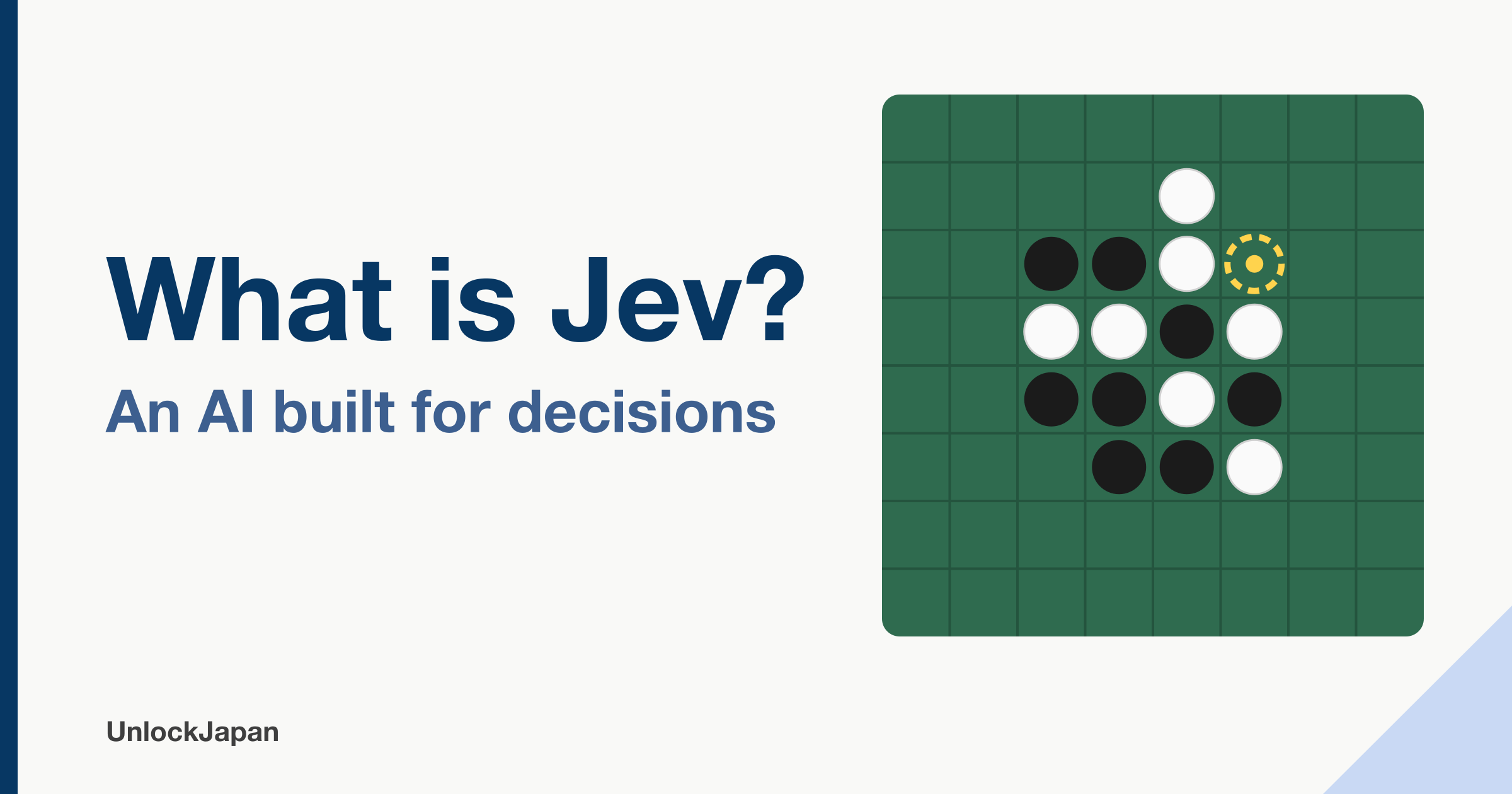
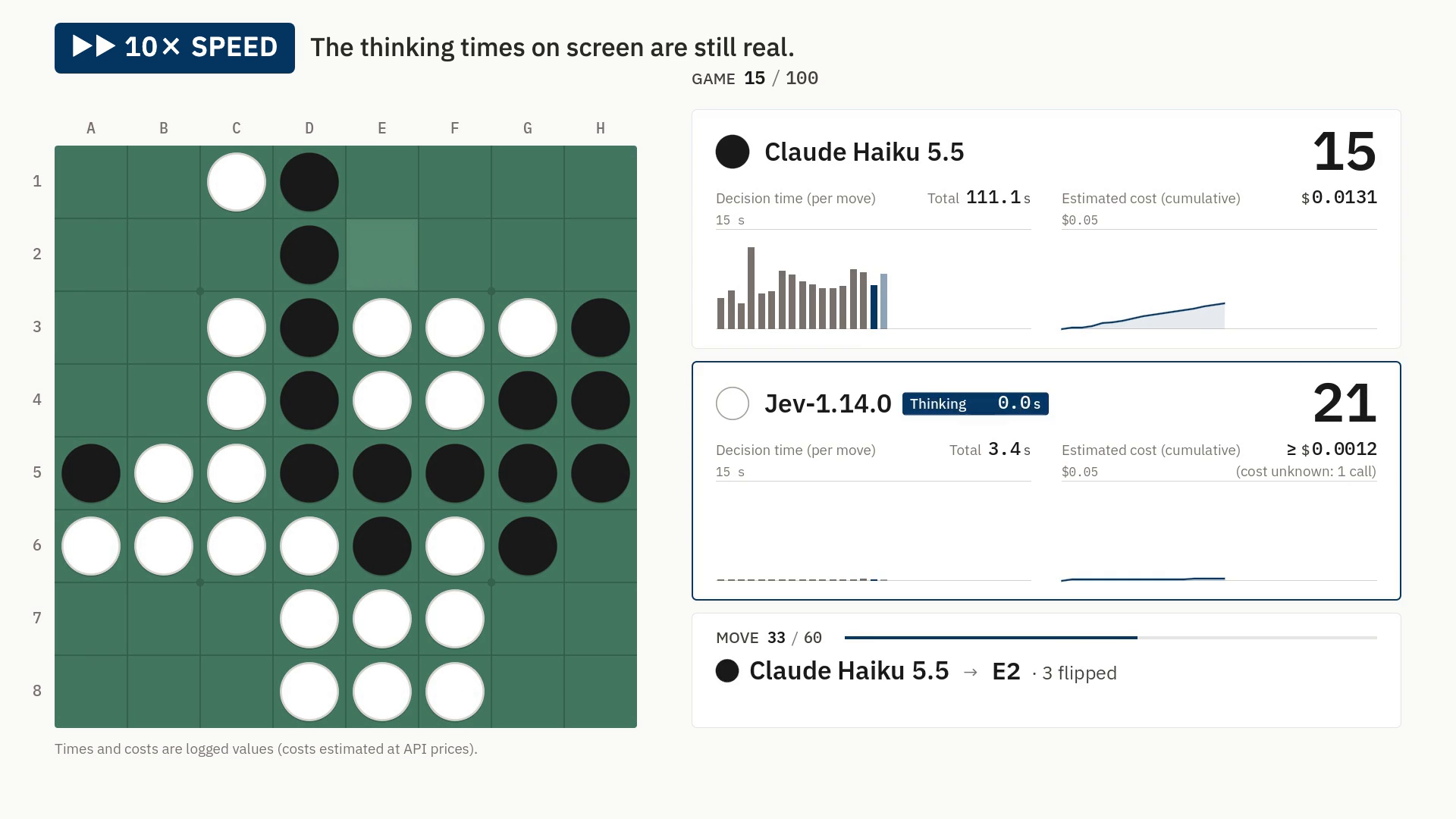
Here is a video of an Othello game in which Jev chose the moves. Details are in "What else Jev can do" below.
How Jev works: send the material and the questions together
A program calls Jev through its API (an interface that lets programs send requests to a service), sending the material for the decision and the questions together in one request. The text, records, images or other material to be judged go in a field called state. The questions go in a field called questions, which can hold several.
Jev evaluates all the questions at the same time, each one independently (Models). No answer feeds into the judgment of another question. To use one answer in the next question, split the work into separate requests and put the first answer into the next state (Primitives).
TypeSafe calls this kind of model, one that quickly returns decisions software can use directly, a "System One model," and Jev is the first of them (Introduction). System One models do not write replies, code or explanations of their reasoning (System One).
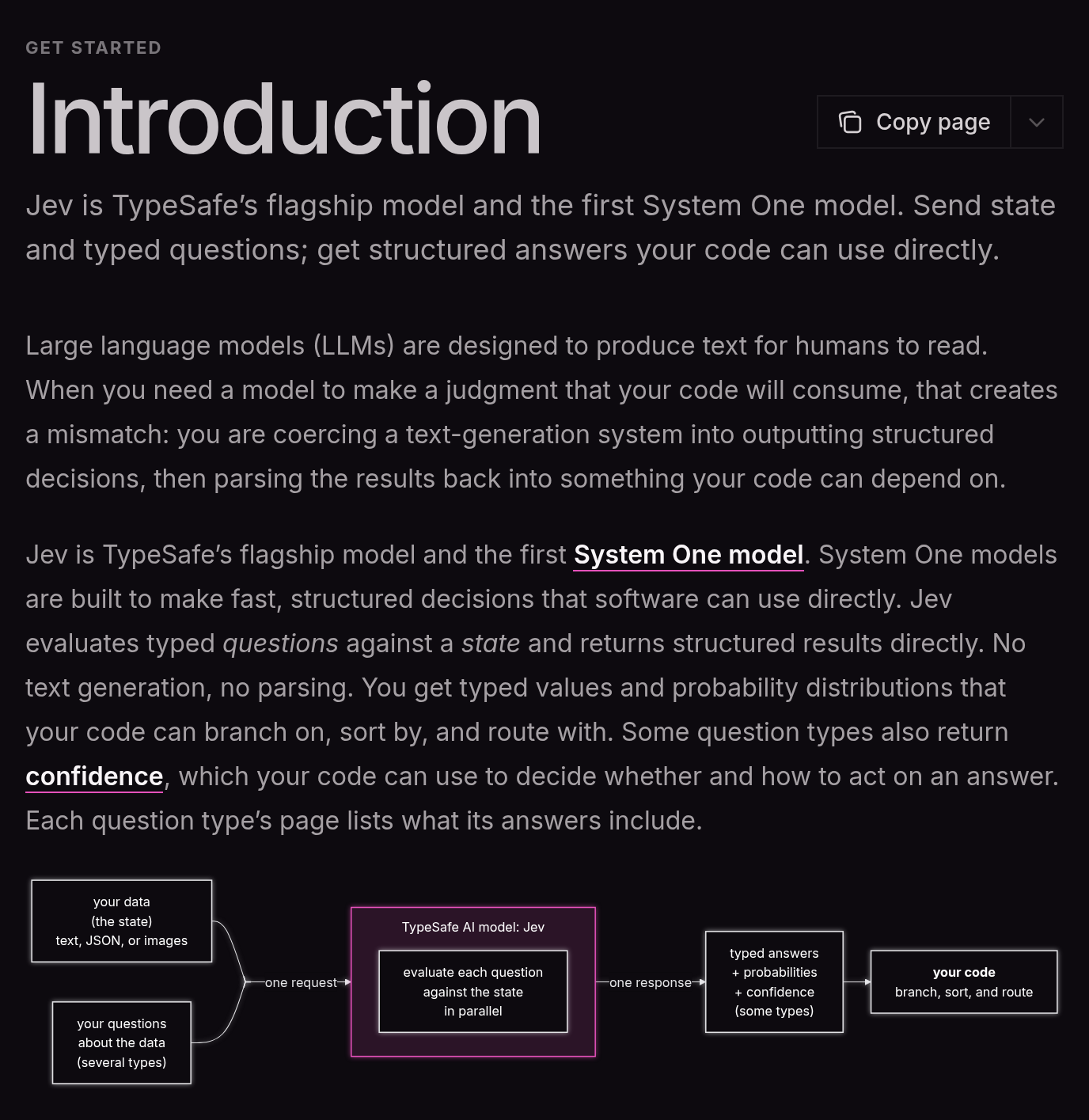
Source: TypeSafe official documentation, "Introduction" (captured November 12, 2026; main text only)
What Jev can do: four question types
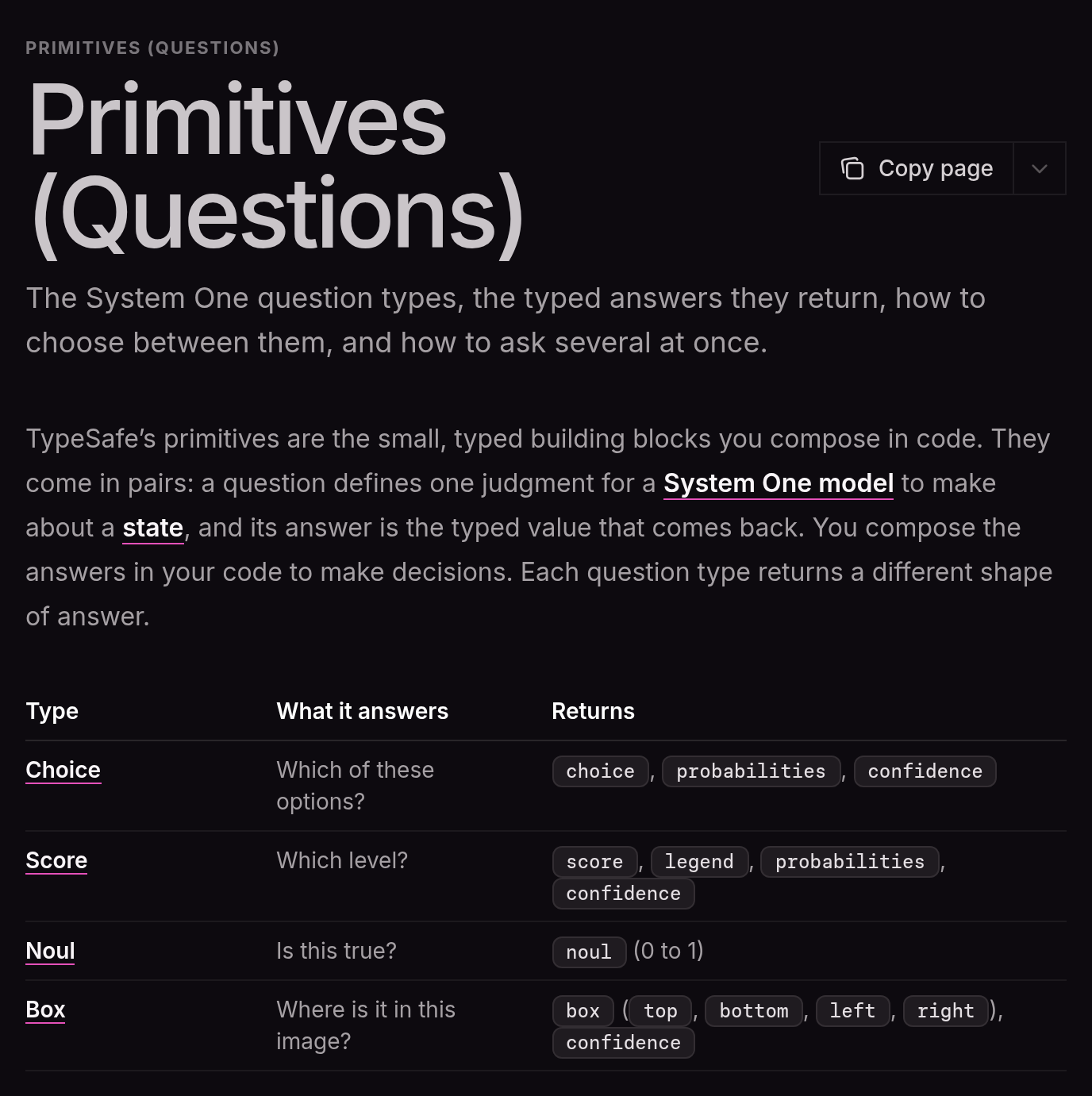
Each question has a type, and each type returns its value in a fixed format (Primitives, as of November 12, 2026).
| Type | What you can ask | What comes back | Rules |
|---|---|---|---|
| Choice | Which of the options you give | The chosen option. A probability for each option. Confidence: how concentrated the probabilities are on one option | Up to 255 options. Always picks one, even if none fits |
| Score | A rating on levels you define in advance (for example, how frustrated a customer is) | The rating, as a level number. A probability for each level. Confidence | 2 to 10 levels |
| Noul | Yes or no | The probability of "yes" | No confidence |
| Box | Where something is in an image | The position of a box around the target. Confidence | jev-1.14.0 only. Experimental |
One request can mix questions of different types.
Source: TypeSafe official documentation, "Primitives (Questions)" (captured November 12, 2026; main text only)
TypeSafe's examples of uses include classification, detection, scoring, routing, search, ranking and verification (Example use cases).
Example request and response
This example puts one fictional customer inquiry in the state and asks two questions about it. desk and urgent are names I gave the questions for this example. You can use any names, and the response returns each answer under the same name. The inquiry, the questions and the option descriptions were written in English, as in the code below. In plain terms:
- Inquiry: The right side of the earphones that arrived last week makes no sound. Can I return them?
desk(Choice): Which desk should handle this inquiry? There are three options:returns(the customer wants to return or exchange an item),repair(the item is faulty and the customer wants it fixed) andbilling(a question about a charge or a refund date).urgent(Noul): Does the customer ask for an answer today?
body = {
    "model": "jev-1.14.0",
    "state": {"inquiry": "The right side of the earphones that arrived last week makes no sound. Can I return them?"},
    "questions": {
        "desk": {
            "type": "choice",
            "instructions": "Which desk should handle this inquiry?",
            "criteria": {
                "returns": "The customer wants to return or exchange an item",
                "repair": "The item is faulty and the customer wants it fixed",
                "billing": "A question about a charge or a refund date",
            },
        },
        "urgent": {"type": "noul", "instructions": "Does the customer ask for an answer today?"},
    },
}
model is the version to use, and type is the question type. The question text goes in instructions; for a Choice, the options and their descriptions go in criteria. inquiry inside the state is also just a name, given to the inquiry text.
On November 12, 2026, I sent this request (the body above) to jev-1.14.0 once. The response contained the chosen desk with its probabilities, and the probability that the customer wants an answer today (the response format is described in TypeSafe's System One API reference).
{
  "model": "jev-1.14.0",
  "answers": {
    "desk": {
      "type": "choice",
      "choice": "returns",
      "confidence": 1.0,
      "probabilities": {
        "returns": 1.0,
        "repair": 0.0,
        "billing": 0.0
      }
    },
    "urgent": {
      "type": "noul",
      "noul": 0.09
    }
  },
  "usage": {
    "input_tokens": 388,
    "output_tokens": 55
  }
}desk: Jev chosereturns(the returns desk).probabilitiesgives a probability for each option: 1.0 forreturnsand 0.0 for the other two.confidenceshows, on a scale from 0 to 1, how concentrated the probabilities are on one option; here it is 1.0. It is not the probability that the answer is right.urgent: The probability that the customer wants an answer today was 0.09. You decide the value at which an answer counts as "yes." That cutoff is called a threshold (explained in the next section).usage: The number of tokens processed (tokens are the units AI models use to measure text). Input was 388 tokens. Output tokens are recorded too, but you pay only for input.
The full code for calling the API, and the steps to run it, are in "How to use Jev." It starts with creating an account and trying the Playground (TypeSafe's official page for trying Jev in a browser). Besides calling Choice and Noul, it covers how to read the response and how to use Score and Box.
Using the probabilities
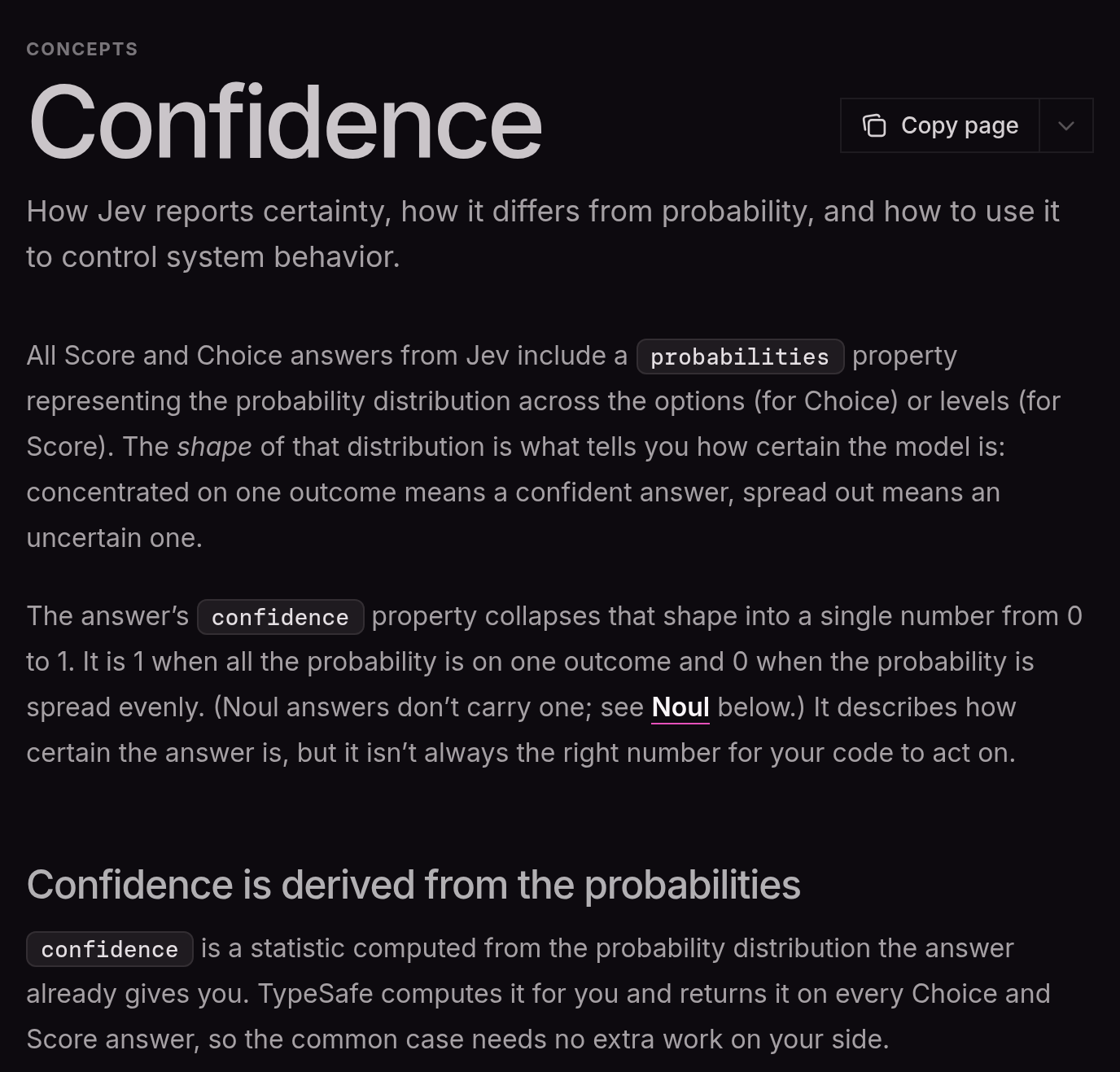
According to TypeSafe, the probabilities Jev returns are "calibrated" (System One). Calibration means tuning the probabilities to match how often the answers turn out to be right. For example, if you collect many predictions in which the chosen answer had a probability of 0.8, about 80% of them should be right. TypeSafe notes, however, that calibration is measured over many predictions together and does not guarantee that any single answer is right.
TypeSafe recommends setting a threshold on the probability and handing cases that fall short of it to a person or some other check. It suggests these starting points (Confidence):
- Noul: Apply the threshold to the
noulvalue itself. As a starting point, treat a value above 0.7 as "yes" and below 0.3 as "no." Do not round the values in between to either side; handle them another way (for example, have a person check them). - Choice: Apply the threshold to the probability, in
probabilities, of the option your code will actually act on (usually the chosen option). This is the method TypeSafe recommends.confidenceis a separate value that shows how concentrated the probabilities are on one option (whether the answer is split); it is not the probability that the answer is right. In TypeSafe's example, with two options and the chosen one at a probability of 0.75,confidenceis 0.5. Do not treat it as the same number as an option's probability.
TypeSafe advises starting with a cautious threshold, one that leaves fewer cases to automatic handling, then checking it against your own data and adjusting it.
Source: TypeSafe official documentation, "Confidence" (captured November 12, 2026; main text only)
Images and Box
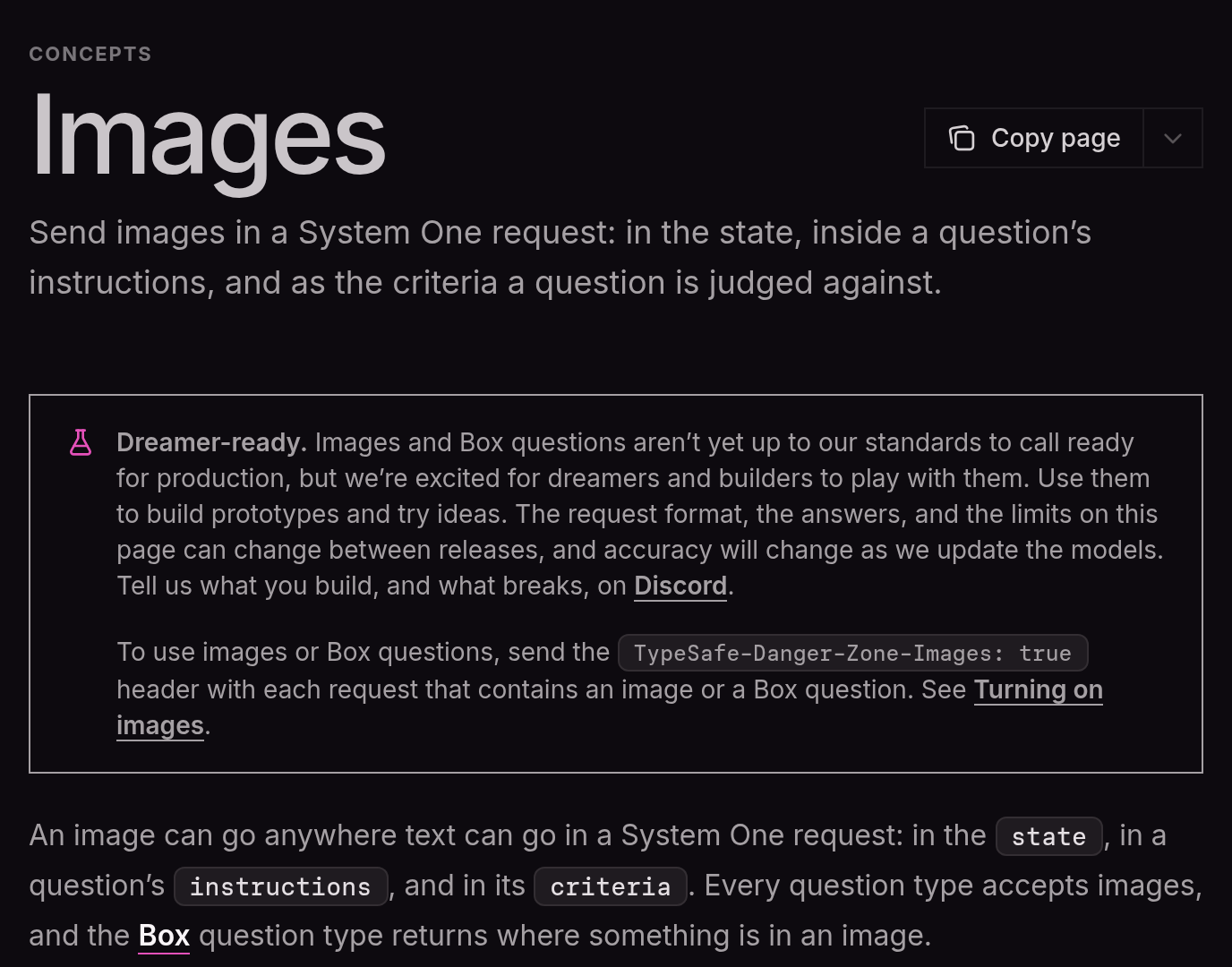
Jev also accepts PNG and JPEG images (jev-1.13.0 and jev-1.14.0). Box, which answers where something is in an image, works only with jev-1.14.0. TypeSafe says images and Box are not yet ready for production and positions them for prototypes and trying out ideas (Images).
To use them, you add a dedicated header to the request (an extra line of settings sent with it). Images also have size limits (for example, each side must be 280 to 1568 pixels). Box always returns a position, even when the target is not in the image, so TypeSafe recommends asking separately, with a Noul question, whether the target is there.
Source: TypeSafe official documentation, "Images" (captured November 12, 2026; main text only)
Jev pricing and versions: $0.042 per million input tokens, and the latest version is jev-1.14.0
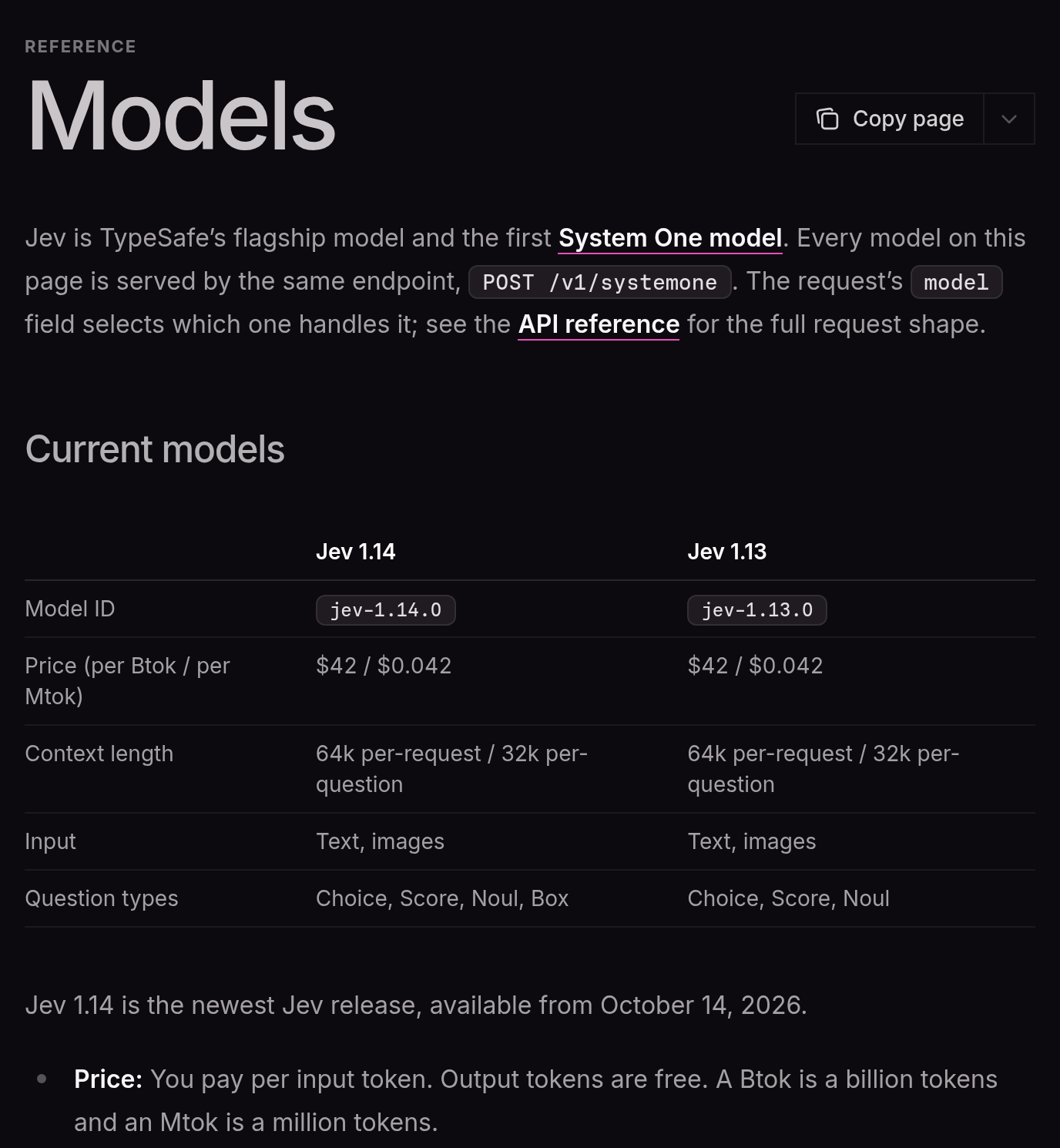
Jev costs $0.042 per million input tokens ($42 per billion). Output tokens are free (Models, as of November 12, 2026). Two versions are available, jev-1.14.0 and jev-1.13.0, at the same price.
- How much you can send: A request can hold up to 64k tokens (k means thousand) for the
stateplus all the questions, and up to 32k tokens for thestateplus any one question. The limits are the same for both versions. - Differences between versions: Only
jev-1.14.0supports Box questions.jev-1.14.0has been available since October 14, 2026. The main changes listed in the changelog are better multilingual support and the addition of Box (Model changelog). - As of November 12, 2026,
jev-latestpoints tojev-1.14.0, and it moves to each new version as it comes out. So if you have tuned a threshold on a specific version, TypeSafe recommends naming that version directly.
Source: TypeSafe official documentation, "Models" (captured November 12, 2026; main text only)
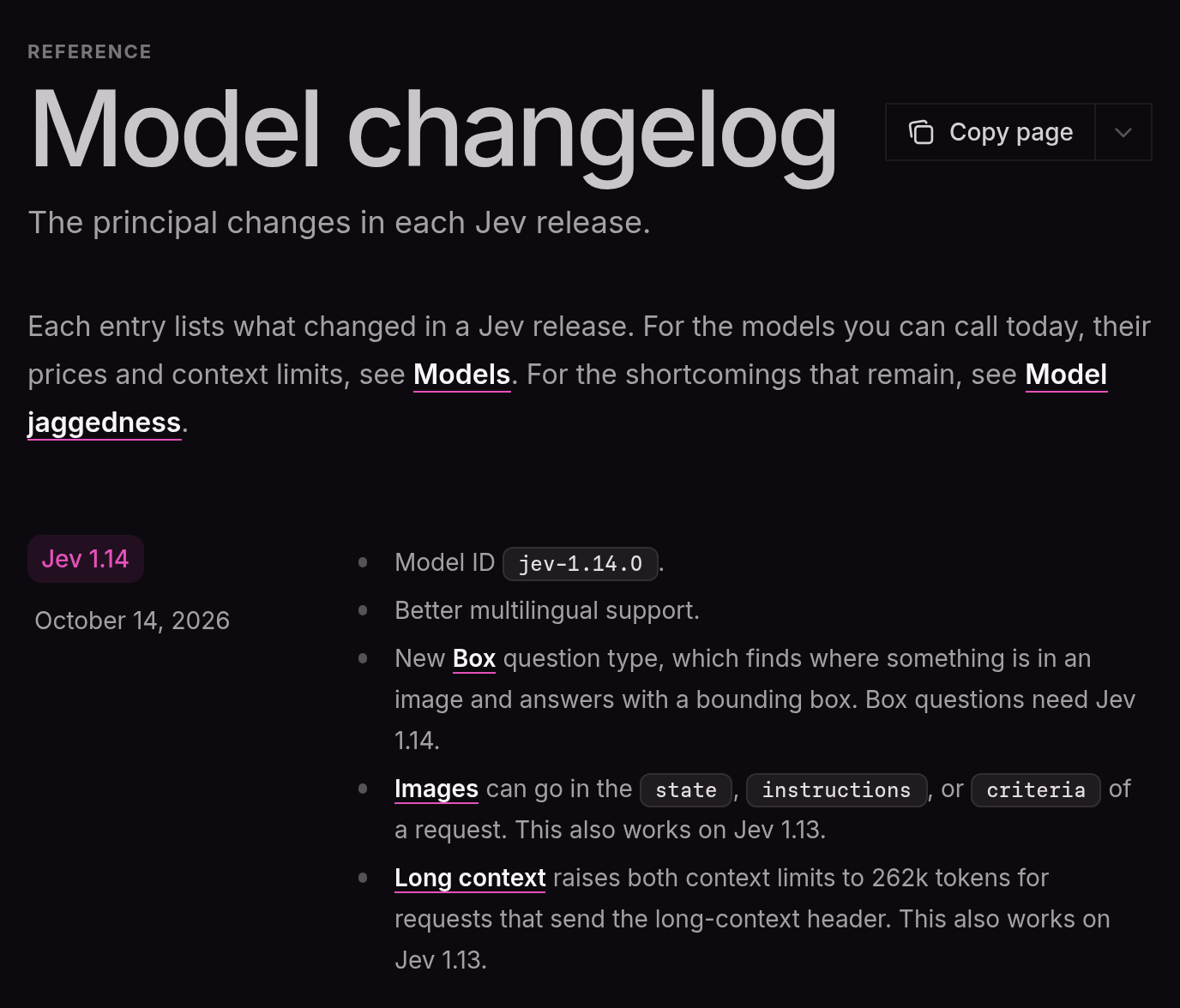
Source: TypeSafe official documentation, "Model changelog" (captured November 12, 2026; main text only)
Jev vs LLMs: a general model that can also write text, and a model that returns only four types of answer
An LLM (large language model: a general-purpose AI that reads and writes text) such as Claude writes text. If you specify the output format, it can also return JSON in that format (structured outputs). Jev writes no text; it returns only the four types of answer.
| Point of comparison | Jev | General-purpose LLM (for example, Claude) |
|---|---|---|
| What it returns | The four types of answer. Choice, Score and Noul come with probabilities | Text. Given a schema (a definition of the output format), it can also return JSON in that format |
| Reasons and replies | Does not write them | Can write them |
| Price (list price per million tokens) | $0.042 for input. Output is free | Claude Haiku 5.5: $0.10 for input and $0.50 for output (for requests with up to 100,000 input tokens). Claude Opus 5.5: $4 for input and $20 for output |
Prices are list prices from TypeSafe's documentation for Jev and from Anthropic's pricing page for Claude (as of November 12, 2026). On speed, TypeSafe says Jev responds in 70 to 500 milliseconds, citing its launch blog post, "Introducing System One Models & Jev" (September 15, 2026). This figure is TypeSafe's own.
Advanced: getting the most out of Jev
Getting the most out of Jev comes down to how you structure the program that uses it. Jev returns one quick judgment per question, and TypeSafe recommends that each question be "the kind of judgment a highly knowledgeable person could make in a few seconds given the right context" (Introduction). For work that involves several judgments or calculations, consider splitting up the processing instead of putting it all into one question. At UnlockJapan, the company that runs this blog, we build around three ideas:
- Plan a strategy: Rather than asking a vague question, list the elements the answer depends on, and decide in what order to ask about them.
- Make questions atomic: Break the strategy into questions that each ask about one point (Introduction).
- Turn what a script can compute into constants: If a calculation decides the answer, have a script compute it first and pass the result to Jev. TypeSafe also lists math and counting among Jev's weak points and recommends doing math in code (Model jaggedness).
What else Jev can do
UnlockJapan has tried Jev on Othello, on sorting return emails, and on spotting cracks in road photos. The detailed steps and numbers are in the linked articles.
Othello: picking one move from the legal squares
We had Jev pick a move from the squares where a disc could be placed on an Othello board. Python first checked each candidate move against established Othello strategy principles and passed the results to Jev, which picked the move with a single Choice question. Over 100 games against Claude Haiku 5.5, the Jev side (the program in which Jev picked the moves) finished with 30 wins, 3 draws and 67 losses. The average time per move was 0.24 seconds for the Jev side and 6.85 seconds for Claude Haiku 5.5.
The video at the top of this page is game 15 of those 100 games. The story of the test is on note, a Japanese blogging platform: "いろいろ工夫して判断特化 AI(Jev) と Claude Haiku を戦わせてみた" (in Japanese). The full set of results is on the "Othello test page."
Return emails: picking one of six responses under a shop's policy
We sorted 100 fictional return and refund emails into one of six responses under a shop's policy: refund, exchange, repair, ask for photos or more information, decline, or pass to a staff member. In our setup, Jev reads each email, Python calculates the number of days and the refund amount and applies the policy, and Jev then picks the response. This setup got 78 right, taking 0.3 seconds per email and costing 1.5 yen per 100 emails. Claude Haiku 5.5 got 91 right, taking 3.0 seconds per email and costing 8.1 yen per 100 emails.
The story of the test is on note: "単純業務を AI ( Jev / Clairic ) で数十倍安く早く処理できた話" (in Japanese). The detailed steps are on the "return-email test page."
Road photos: judging, cell by cell, whether there is a crack
We cut photos of Japanese roads, taken from a car, into cells about 1 m square and judged 107 cells for cracks. Jev alone got 94 cells right, at 0.2 seconds per cell and $0.033 per 1,000 cells. Claude Opus 5.5 got 95 cells right, at 1.8 seconds per cell and $5.5 per 1,000 cells. TypeSafe classes Jev's image input as experimental.
The details are on the "road-crack test page."
Jev's weak points: nine listed by TypeSafe
TypeSafe's documentation lists nine things Jev is weak at (Model jaggedness, as of November 12, 2026):
- Reading questions literally (it does not infer what the writer meant)
- Math and numbers (including counting)
- Comparing dates and times
- Questions that take several steps
- A
statefull of irrelevant information - Inputs written to steer the answer
- A mismatch between the question text (
instructions) and the option descriptions (criteria) - The order of options in a Choice
- Writing text
For each item, the page also gives a workaround, such as doing calculations in code, or reordering the options to check whether the answer changes.
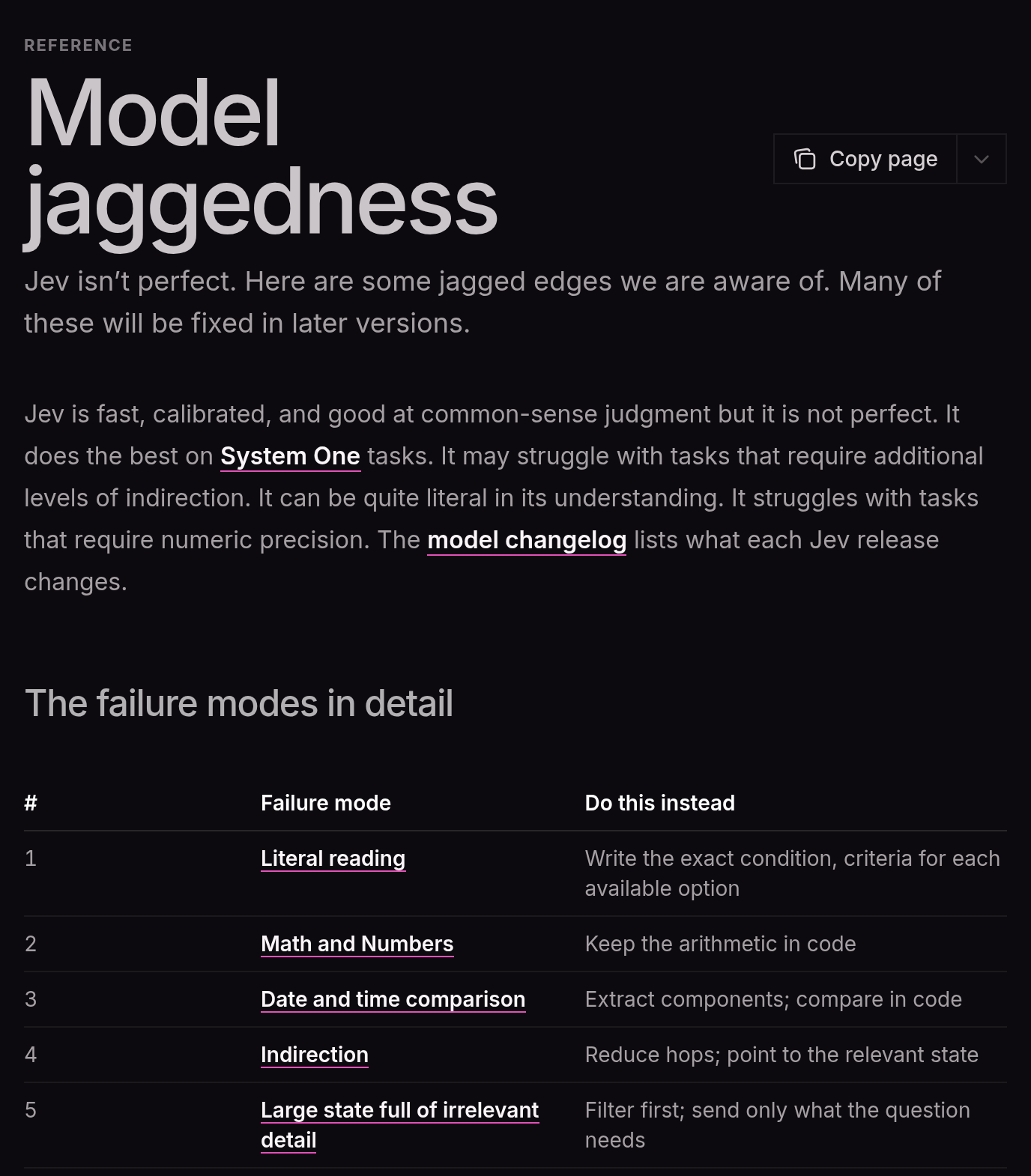
Source: TypeSafe official documentation, "Model jaggedness" (captured November 12, 2026; main text only)
UnlockJapan's tests also produced results related to math and numbers, questions that take several steps, and the order of options. The details are in the articles above. To know whether Jev works for your task, measure it on data with known correct answers.
Frequently asked questions
Does Jev work in Japanese?
You can send Japanese text as is, without translating it into English. On November 12, 2026, UnlockJapan sent the same problems to jev-1.14.0 in Japanese and in English (translated from the Japanese by AI) and compared the number of correct answers. On 60 short yes-or-no questions, Jev got 56 to 58 right in Japanese and 59 in English (the range comes from asking with three question types, twice each). On 100 return emails, sent twice, Jev got 69 right in Japanese both times, and 62 and 65 in English. These are the same emails as in the test above, but this time Jev picked the response with a single question, so the results cannot be compared with the 78 above. With this many questions, we could not tell which language is more accurate. The differences were not statistically significant (a statistically significant difference is one too large to be plausibly explained by chance), and we did not confirm that the two languages are equally accurate, either.
The answer for an individual email, however, sometimes changed with the language. On the first run, Jev chose different responses in Japanese and in English for 22 of the 100 emails. When the same emails were sent again in the same language, the answer changed for 5 of 100 in Japanese and 6 of 100 in English. On the return emails, Japanese used about 1.4 times as many input tokens as English.
Can Jev run locally?
As of November 12, 2026, TypeSafe's documentation describes only one way to use Jev: calling TypeSafe's API (see "What do I need to try Jev?" below).
Is the data I send to Jev used for training?
TypeSafe's documentation says Jev is not trained on customer requests or responses (Models, as of November 12, 2026). It also says the model weights are the same for every account and that Jev gets no extra training on customer data. The contract terms are set out in documents such as the Data Processing Agreement (a contract on how data is handled), which you can reach from the Legal page.
How is Jev different from RAG?
Retrieval-augmented generation (RAG) is a setup that passes documents found by a search to an LLM and has it write an answer. Jev is a model. Because Jev writes no text, it does not replace RAG as a whole. TypeSafe gives examples of using Jev within RAG to search documents, score their relevance and rank them (Example use cases). UnlockJapan has not measured this use.
What do I need to try Jev?
To call it from code, you need an API key, issued in the TypeSafe console (its admin screen). You can call it with the official SDKs (libraries for calling the API: typesafe-sdk for Python and @typesafe-ai/sdk for JavaScript) or with the HTTP API. To try it without code, you can log in to the Playground and use it in your browser. The steps from creating an account to calling Jev from Python are in How to use Jev.
Test conditions and limits
Times are API times measured in each test's own environment. Costs are estimates based on list prices, not amounts actually billed. The models used were jev-1.14.0, claude-haiku-5-5 and claude-opus-5-5. Specifications and the screenshots of TypeSafe's pages reflect the official documentation as checked on November 12, 2026.
Narrative write-ups of how the tests went are published as a series on note, in Japanese; note offers an English machine translation (Takuma Yoshida|note).
Related reading
Blog
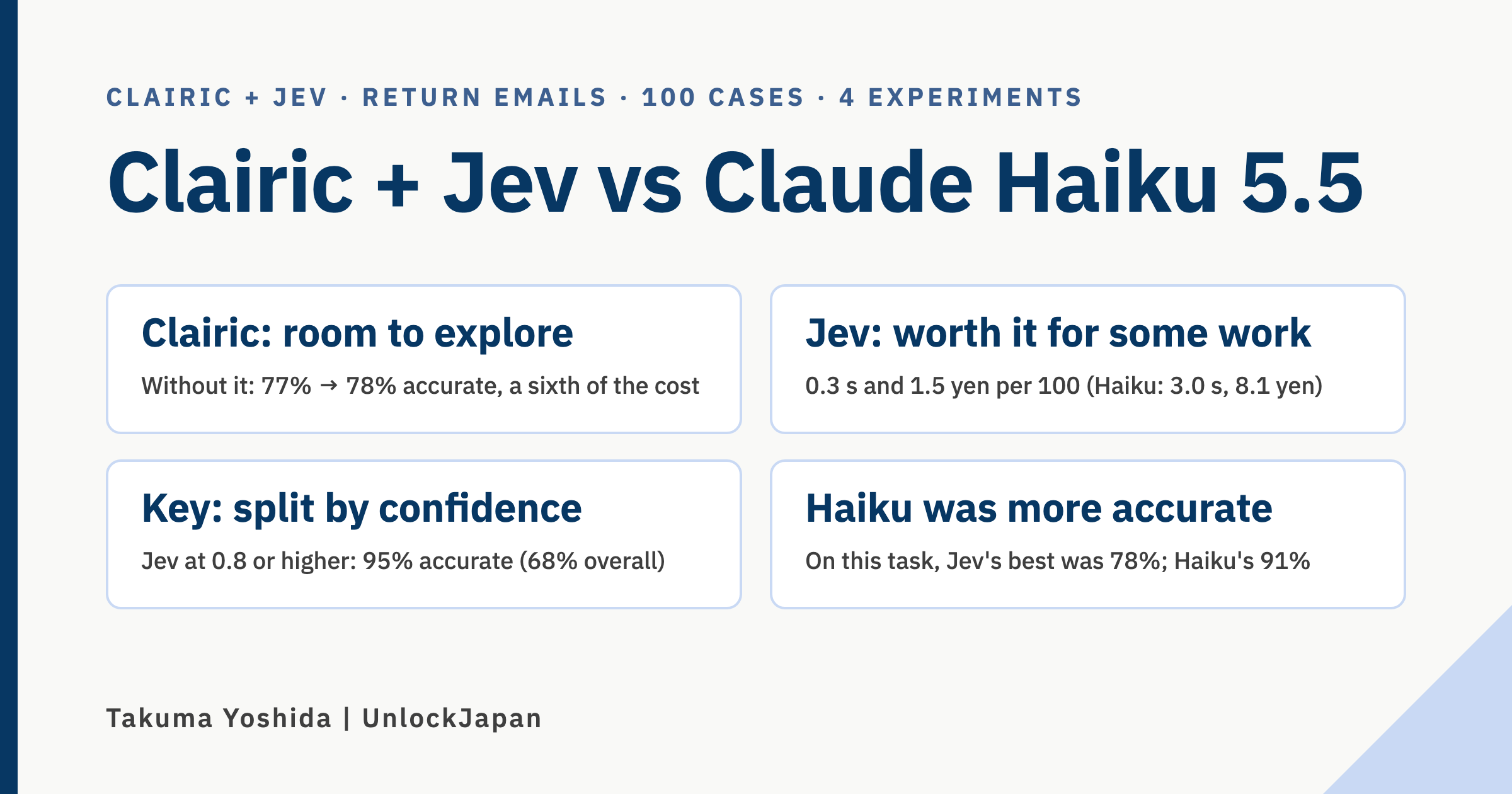
Jev vs Claude Haiku 5.5: 100 return emails, four experiments
Jev in Japanese: the same questions in Japanese and English
Jev's Noul, Score and Choice compared
The series on note (Japanese, machine-translated)